Wednesday, 9 November 2016

3D: Rigging Leo- Personalizing Walk cycle (part 12)

I have started a personalized walk. It's a bit hard to see, I wish I could upload a GIF or something to show it. I still haven't applied my new skin weights to this model, so everything still bends and stretches a bit oddly still.

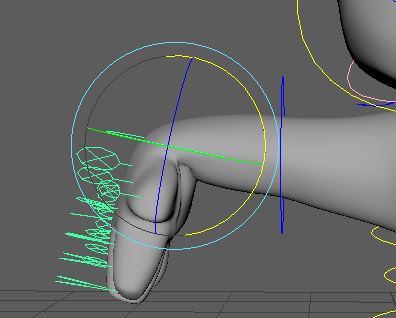
Here I touched it up slightly and extended it, but it's still only a second long... so idk. I think the feet are moving a bit strange, but his leg movement is a bit limited anyway so I don't want to exaggerate it too much.


Also we had peer critiques, and I received some helpful feedback from a classmate on Leo's walk.

"He looks extremely cute, he seems like maybe hes so small he wants to be treated like he is bigger or has a big personality? He seems relatively proud-ish because his chest is out and the fact that his hands fists are clenched maybe hes a little annoyed. I really like the way the arms rotate and the line of action. Maybe the only thing that might be good would be maybe making the hips rotate a tiny bit. Like up/down rotate a little on the cog?
Otherwise, brilliant"


It seems as though my character is showing off his personality through his walk quite well right now. I was aim for a 'personality bigger than him" look, one that wold show his confidence. The Balled up fists might be throwing it off a bit, by making him look ahead. I'm worried that if I take it away, he won't look as confident. So maybe it's down to expression or move of a head movement. If he sways the head more maybe it'll counteract it. But then again, If I sway him too much it might turn into a gangster walk. 

Tuesday, 8 November 2016

3D: Rigging Leo-painting weights a bit more (part 11)


Touching up skin weights:
Since I am now getting the hang of it, I am able to touch it up. The skin weights won't mirror across, so I have to do it manually. I have also fixed the wrists, as they lost a lot of value when bent.


Another one that was giving me a lot of grief was how the back and stomach caved in when bent over. As you see in the picture, the back would cave in a lot and the shoulder blades(ish) area would pop out. I evened it out more, but left a little dent in the back to make it look a bit more natural.


I went back a save as I wasn't sure if my last save was a reference or not. So I had to redo the eyes and mouth again. But I think they're better this time around, especially the mouth. I left the skin weights on the mouth picture to show a difference in the mouth. On the yellow side the edges on the side of the mouth are higher up, rounding out the side of the mouth. If I left it it would have a sad looking sad mouth shape.

The left eye closes much better than the right so far, and in a very catlike way. I can't close the eyes in a rotate way, but bit by bit which takes a while. So I'm thinking I'll copy and keep the attributes somewhere in my notes, so I can just write it in when I need it instead of carefully tying to figure it out.


Thursday, 3 November 2016

3D: Rigging Leo-Practicing walk cycles (part 10)


First walk cycle completed! It's only a basic generic walk cycle, just to get to used to it. It went a bit odd at first, because I had one foot start going one way then go another way.

I also have videos of both sides to show how my skin weights are working. The red side, the one playing up, is the one where skin weights are actually applied, and I can't seem to fix it. The other side has nothing and it seems to work fine other than losing a little bit of volume when stretched out. Maybe I can mirror those weights across, start anew, maybe.


3D: Rigging Leo-Walking Cycle Test (part 9)


Something went a bit odd when I was moving my character... I thought I broke it. I'm supposed to select all the curves then make a frame- then move it. I tried to move a curve while everything else was still selected. I didn't know that at the time...


But here is a early test scene of a simple walk cycle. Still needs a lot of improvement. I've found out his legs have very limited movement- because his legs are so short and stumpy, so I had a lot of tweaking to do as I had tried to make his walk a bit exaggerated, but it didn't work, so his steps are very small.


Tuesday, 1 November 2016

3D: Rigging Leo- painting weights still (part 8)


I have finally figured out my blink! It takes a while to do, but this is the best I can do with the painted weights. I kinda dig the little flicks at the end, looks a bit cat like, and it might not be visible when his texture is applied.


The ear was annoying to do, anytime I move it he cranium would cave in.


Sometime went wrong  when I opened it one day, and all the heads skin weights had disappeared! I was actully pretty stoked because I can work from a blank canvas and don't have to do the terrible job of replacing weights which screws everything up. I felt pretty proud of my ear, now feeling like I'm finally catching onto skin painting!


But something has gone wrong with the skin painted weights and a bit below the belt... I can't get rid of it! Anytime I move his head or bend his spine, the bit above the leg follows. There's only painted weights on the root joint, but I can't get rid of it despite there being nothing on the other joints. Do I need to replace it? Should I unlock a leg one and replace it? Last time I did that, it didn't go well.


Here, I struggled with the mouth opening, But I finally managed it, and put 100%weighting on everything on the bottom inside

Bouncing ball - 3D Exersise

The single ball is my first 3D animation. 
One of my videos went a tad funny, but it was soon fixed up. Something about the camera angle maybe.